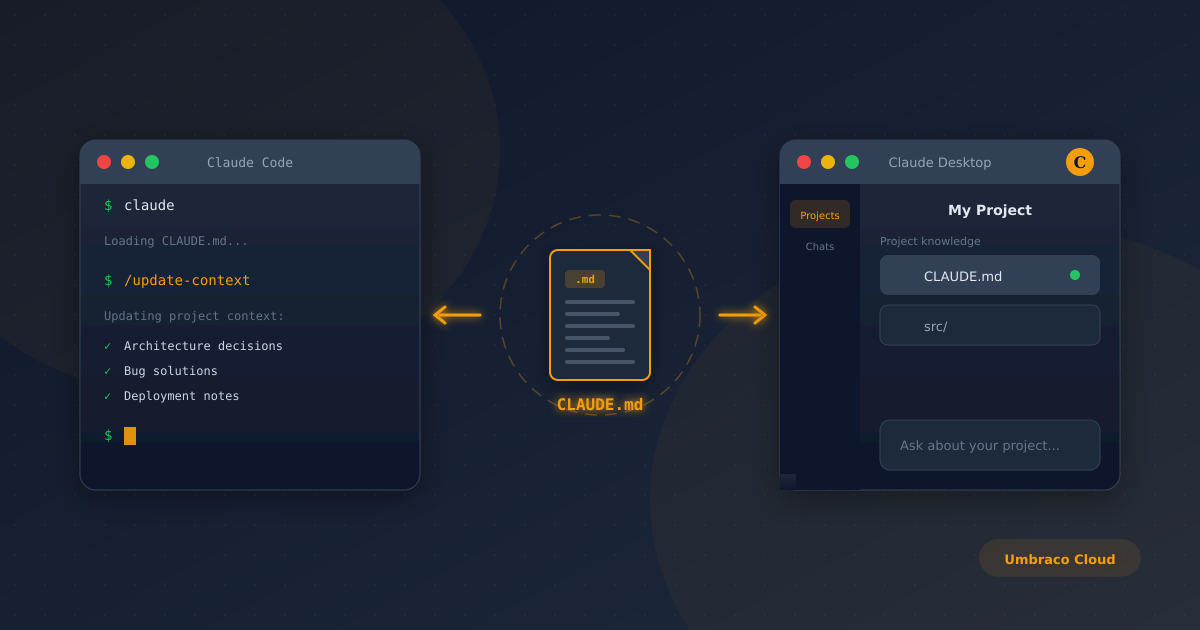
If you're using both Claude Code in the terminal and Claude Desktop for client projects, you've probably hit the same frustration I did: they don't share context. Every session starts fresh, and you end up re-explaining the same architectural decisions, client quirks, and gotchas.
For standard GitHub repositories, there's an easy fix - add the repo to a Claude Desktop Project via the GitHub integration and hit sync. Job done.
But if you're working with Umbraco Cloud, that's not an option. Umbraco Cloud uses its own Git infrastructure, and you can't simply connect it to Claude Desktop's GitHub integration. Your codebase lives in a walled garden.
The workaround: a self-updating CLAUDE.md
Claude Code automatically reads a CLAUDE.md file from your project root on startup. By maintaining your project context in this file, you create a portable knowledge base that you can also manually add to Claude Desktop Projects.
The challenge is keeping it updated without having to remember to do it yourself.
Setting up a custom slash command
Custom slash commands in Claude Code are just markdown files that act as prompts. Here's how to set one up that keeps your CLAUDE.md current:
Step 1: Create the commands folder
In your project root, create the following folder structure:
.claude/commands/Step 2: Add the update command
Create a file called update-context.md inside the commands folder with the following content:
Review the current CLAUDE.md file and update it with:
- Any new architectural decisions made this session
- Bugs discovered and their solutions
- Client-specific quirks or gotchas encountered
- Environment/deployment notes
- Any technical debt identified

Preserve existing content, add new learnings under appropriate sections. Use concise, actionable notes - this is reference material, not documentation.
Step 3: Use it
At the end of a coding session, or after solving something particularly tricky, just type:
/update-contextClaude will review what you've been working on and update the CLAUDE.md with relevant learnings.
What to capture for Umbraco Cloud projects
For Umbraco Cloud specifically, I'd recommend your CLAUDE.md tracks:
Environment differences - staging vs live configuration quirks
Deployment pipeline notes - anything that's caught you out
Media storage behaviour - blob storage gotchas
Cache invalidation - what needs clearing and when
Umbraco Cloud CLI issues - version-specific problems and workarounds
Client-specific content structure - document types, compositions, naming conventions
Syncing to Claude Desktop
Once your CLAUDE.md is being maintained, you can copy it into a Claude Desktop Project's knowledge base. It's manual, but you only need to do it periodically - perhaps weekly or before a major piece of work.
The real value is that you're capturing the why behind decisions, not just the code. Six months from now when you're back in that codebase, you'll thank yourself.
It's not perfect, but it works
This isn't automatic sync - that's currently a feature request on the Claude Code GitHub repo. But until Anthropic builds native integration, this approach keeps both environments reasonably aligned and, more importantly, captures institutional knowledge that would otherwise be lost between sessions.
Give it a try on your next Umbraco Cloud project and let me know how you get on.
Your Website, in Safe Hands
Keeping your website running smoothly while focusing on your business can be overwhelming—we get it. That’s where we come in. Think of us as part of your team—handling the technical stuff so you don’t have to.
What can I expect?
Reliable support to keep your website secure and optimised
Regular updates, backups, and performance tweaks
Tailored plans designed to suit your needs
Priority care with limited availability
Please fill out the form below or contact us directly at hello@simonantony.co.uk
